The short answer
An MT4 trade copier and an MT5 trade copier perform the same basic job: observe an eligible event on a source account, apply the configured sizing and protection rules, then send an instruction to selected follower accounts. What changes is the trading model around that instruction.
A route described as MT4 to MT5 can still fail a real-world test if the broker connection, account mode, symbol, volume, margin, or market conditions do not line up.
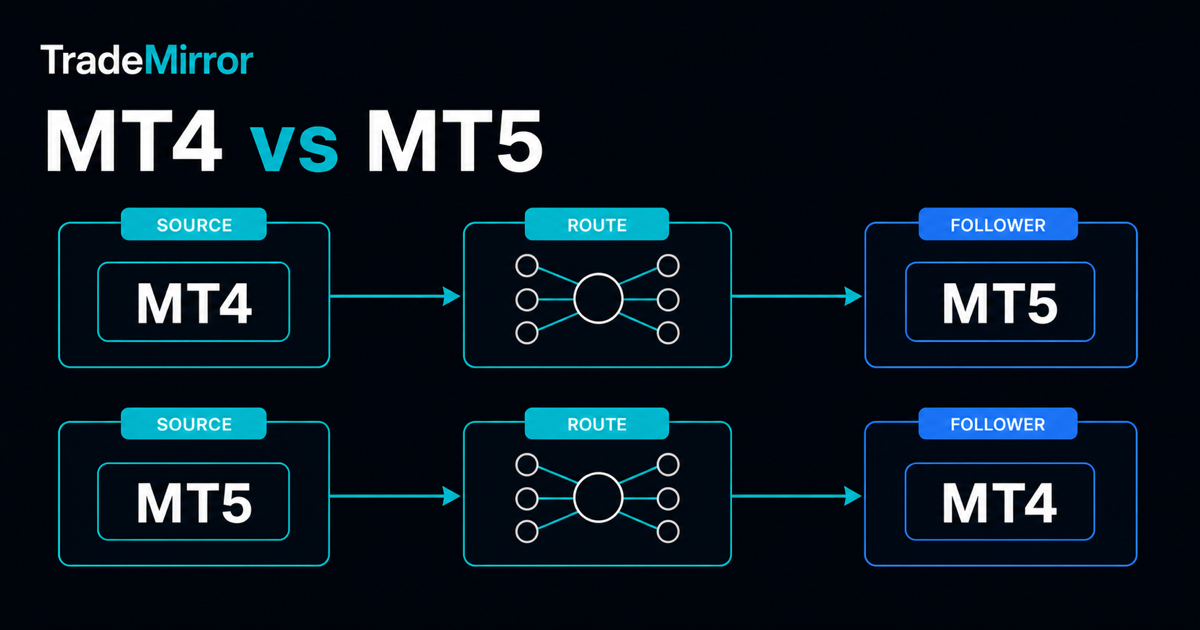
TradeMirror supports MT4 to MT4, MT5 to MT5, MT4 to MT5, and MT5 to MT4 routes for supported position events. It does not turn unlike accounts into identical accounts, and it cannot guarantee identical prices or outcomes.
What stays the same on MT4 and MT5?
Every route still needs one source, at least one follower, an explicit sizing rule, working account connections, and a running strategy. The follower submits its own order through its own broker. That final fact is why two apparently similar routes can produce different fills.
The operational workflow should also stay the same: test each connection, confirm account roles, review the route, perform a small end-to-end test, verify the result inside MetaTrader, and keep a clear way to stop the strategy. The pre-flight checklist applies whether the route is same-platform or cross-platform.
MT4 and MT5 do not describe trades in exactly the same way
MetaTrader 4 documents market and pending orders, with stop-loss and take-profit levels attached to an order. MetaTrader 5 distinguishes an order, a deal, and a position: an order is an instruction, a deal is an execution, and a position is the resulting market exposure. A copier therefore needs to translate supported source events into valid follower instructions instead of copying database records one for one.
For the platform definitions, see the official MetaTrader 4 order documentation and MetaTrader 5 trading concepts. These distinctions matter most when investigating partial fills, closes, and what the dashboard can prove.
MT5 account mode can change the result
MT5 supports netting and hedging account systems. Under netting, only one position can exist for a symbol at a time, so a new execution may increase, reduce, or reverse that single position. Under hedging, multiple positions can exist for the same symbol, including opposite directions. The broker determines which system the account uses.
That means a source with several independent positions may not map cleanly to a netting follower. Even when total exposure looks similar, position count, ticket identity, modification behaviour, and closing workflow can differ. Confirm the follower account mode before treating a test as successful. MetaTrader explains both modes in its official position-management documentation.
MT4 source to MT5 follower
In this direction, the copier receives a supported source event from MT4 and requests the corresponding action on MT5. Before activation, check whether the MT5 follower is hedging or netting, whether the requested symbol exists, and whether its minimum, maximum, and volume step allow the calculated lot size.
A source lot of 0.13, for example, does not prove that a follower can accept 0.13. The follower symbol specification defines the permitted volume range and increment. A safe test checks the requested volume, the volume actually accepted, and the position created in the MT5 terminal—not only a “sent” status in the copier.
MT5 source to MT4 follower
In the reverse direction, an MT5 source event must become an instruction that is valid for the MT4 follower. Pay particular attention to MT5 netting behaviour: a change to one net position does not necessarily represent a standalone trade that can be reproduced as an independent MT4 order.
Test opens, supported protective-level changes, and closes separately. A successful open does not prove that every later lifecycle event will behave as expected. If the route relies on a specific order type or management pattern, confirm that TradeMirror supports that event before using the route live.
Same-platform routes can still differ
MT4 to MT4 and MT5 to MT5 remove one translation boundary, but they do not remove broker differences. The same symbol name can have a different contract size, trading schedule, spread, stops level, or volume step. A broker may also add a prefix or suffix to the familiar symbol name.
MetaTrader exposes these fields in the symbol specification, including minimum and maximum volume, volume step, spread, and stops level. Use the official MT5 symbol specification guide to understand what to compare. For a broader broker-to-broker review, read can you copy trades between different brokers?
A practical platform comparison
| Question | Why it matters | What to verify |
|---|---|---|
| Platform | Determines the event and position model. | Source and follower are connected as the expected version. |
| Account mode | Netting and hedging represent exposure differently. | Position count and close behaviour match your workflow. |
| Symbol | Name alone does not define the contract. | Identity, contract size, hours, stops, and volume rules. |
| Execution | The follower broker makes a separate fill decision. | Actual follower position, price, volume, and protective levels. |
Pre-flight checklist for an MT4 or MT5 route
- Confirm that you own or are authorized to operate every account.
- Test each account connection independently.
- Record the platform version, broker server, and account mode.
- Compare the intended symbol specifications on both sides.
- Choose a sizing rule and calculate the expected follower request.
- Add follower-specific exposure and market-condition limits.
- Start the route only after reviewing its source and followers.
- Test an open, supported update, and close with limited exposure.
- Verify the final state directly in both MetaTrader terminals.
If a test does not match the expected route, stop and use the trade copier troubleshooting guide before increasing exposure.
Bottom line
Choose a trade copier based on the complete route, not an MT4 or MT5 badge. Platform translation is one part of the system; account mode, symbol rules, sizing, broker execution, and your verification process determine whether the route behaves acceptably.
Trade copying automates instructions, not outcomes. Review the eight trade copier risk controls and the full risk disclosure before activation. This guide is educational and is not investment advice.