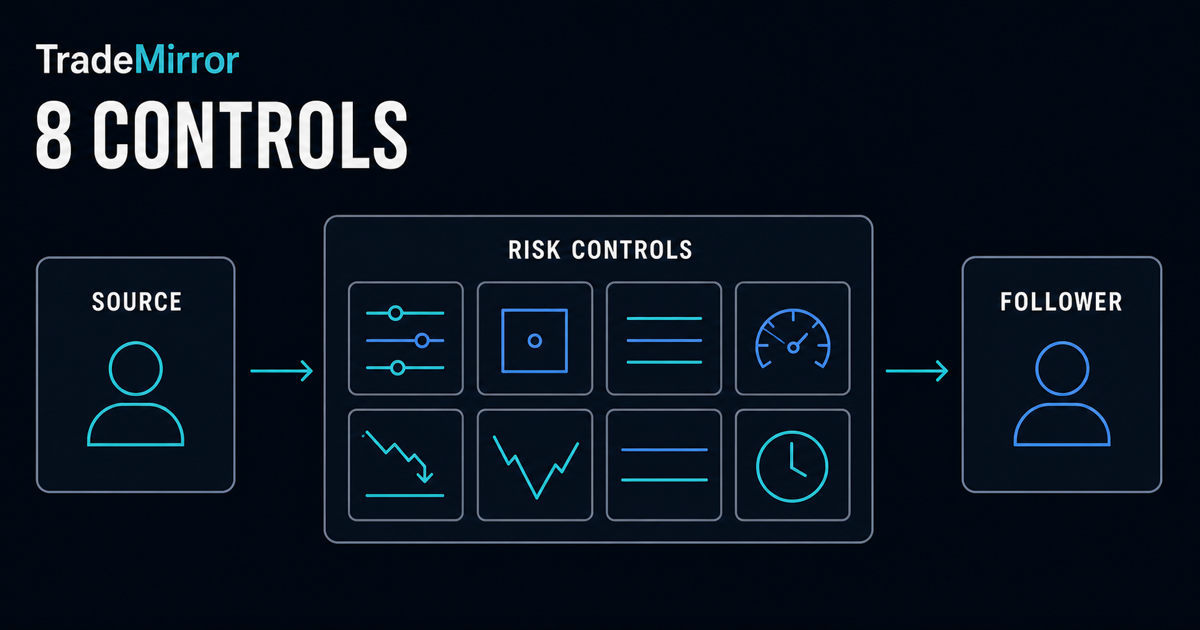
Risk controls do not make trade copying safe
A trade copier removes manual repetition. It does not make the source strategy suitable, prevent market losses, guarantee a follower fill, or keep two accounts identical. In fact, automation can spread an error across several followers before a person would have repeated it manually.
Sizing, exposure, margin, loss, and market-condition limits address different failure modes. One generous limit should not silently replace the others.
TradeMirror supports strategy defaults and follower-specific protection settings. Review the effective values for each follower, because accounts with different equity, leverage, currencies, or symbols should not be assumed to tolerate the same exposure.
1. Choose the position-sizing method deliberately
The sizing method produces the first requested follower volume. A lot multiplier scales the source lot, a fixed-lot rule requests the same configured volume for each copied open, and proportional sizing can relate the request to follower equity. None of them automatically makes financial risk equal between accounts.
Before activation, calculate several examples using the actual source volume and follower account. Then compare the result with symbol contract size, follower equity, leverage, existing exposure, and broker volume rules. The sizing-method guide explains the first two methods in detail.
2. Cap the requested lot size per trade
A maximum-lot control limits the requested volume for one follower open. It is a backstop for unusually large source trades, unexpected multipliers, or proportional calculations that produce more volume than intended. In TradeMirror, the maximum can clamp a request before it is sent.
This cap does not validate the whole position. The follower broker still applies its minimum, maximum, and volume-step rules, and several individually acceptable trades can create excessive combined exposure. Set this value from the follower's capacity, not merely from the largest source trade seen in the past.
3. Limit open positions and combined lots
Position-count and combined-lot controls constrain accumulation. A maximum open-position count can stop a strategy from adding more follower positions after a threshold is reached. A maximum combined-lot limit addresses the separate case where only a few positions carry large total volume.
Use both when position count alone is a poor description of exposure. Remember that netting and hedging accounts represent positions differently, so confirm how the follower terminal counts the strategy's exposure. A close should remain possible even when a gate prevents new opens; blocking risk reduction would defeat the purpose of the control.
4. Require free margin and margin level
Minimum free-margin and minimum margin-level gates check the follower's capacity before a new open. Free margin is an amount of account currency available after used margin. Margin level expresses equity relative to used margin as a percentage. They answer related but different questions.
In TradeMirror, missing margin data blocks a gated open rather than substituting a guess. That fail-closed behaviour is important because a stale or absent number should not be treated as proof of capacity. Always confirm the current account state in MetaTrader when a copied open is rejected by a margin rule.
5. Set a daily-loss stop
A maximum daily-loss percentage can stop new copying after the measured loss reaches the configured limit for the day. It is designed to interrupt repeated exposure during a bad session, including when the source continues to trade.
Understand what balance or equity reference the product uses, when the day resets, which positions and realized results are included, and how the stop is cleared. TradeMirror's loss stop latches until it is explicitly reset; it should not quietly resume because a later price move makes the percentage look smaller. It cannot recover losses that already occurred.
6. Set a maximum-drawdown stop
Drawdown measures decline from a relevant equity peak. A maximum drawdown stop can block new follower opens after the decline reaches your configured threshold. Unlike a daily-loss limit, drawdown can capture deterioration that spans more than one trading day.
Define the observation period, peak reference, reset behaviour, and whether open-position losses are included. TradeMirror's drawdown protection also latches until reset. Treat a triggered stop as a reason to investigate source behaviour and follower state—not as a prompt to increase the threshold automatically.
7. Filter excessive spread and entry deviation
Spread and entry-deviation controls address the price environment when a follower open is considered. A maximum-spread percentage can reject an open when the current bid/ask gap is too wide. A maximum entry deviation can reject the request when the follower's available price has moved too far from the source reference.
These are execution-quality gates, not fill guarantees. Price may move after the check, and the broker still makes the execution decision. The symbol specification and current market determine which values are meaningful. Different brokers can make the same threshold behave differently; see the cross-broker compatibility guide.
8. Reject stale signals and restrict symbols
A maximum signal-age rule can block a source event that arrives after the acceptable window. This matters after connection interruptions or processing delays: a once-valid instruction may no longer represent current market conditions. The appropriate age depends on the strategy and infrastructure; there is no universal safe value.
A symbol allow list adds a separate scope boundary by limiting new opens to explicitly approved instruments. Use it when a source can trade markets that a follower should never receive. Keep the list aligned with the follower broker's exact symbol names and specifications.
How the controls should work together
Think of a follower open moving through a sequence of questions. Is the event current and the symbol allowed? What volume does the sizing rule request? Does the per-trade cap reduce it? Would the new position exceed count or combined-volume limits? Is margin capacity sufficient? Have daily-loss or drawdown stops latched? Are spread and price deviation within range?
The open should proceed only when every required gate passes. Log the specific reason when one fails, because “not copied” is too vague to diagnose. Controls should apply to new exposure while still allowing supported closes and risk-reducing actions whenever the broker and connection permit them.
Follower-specific limits vs strategy defaults
Strategy defaults create a consistent baseline, but follower-specific limits let you account for real differences. A smaller follower may need a lower lot cap and combined-exposure limit. An account at another broker may need different spread, symbol, or deviation rules. A follower with existing manual positions may have less available margin.
Review which value is effective when a follower override and strategy default both exist. The interface should show that result before activation. Avoid duplicating a strategy merely to hide uncertainty about which settings apply.
A risk-control test plan
- Inventory every follower's equity, leverage, currency, account mode, existing exposure, and intended symbols.
- Calculate expected volumes for small, typical, and unusually large source trades.
- Configure sizing, per-trade, combined-exposure, and margin gates.
- Configure loss, drawdown, spread, deviation, age, and symbol rules.
- Review the effective settings shown for each follower before starting.
- Test an allowed open and verify the actual follower position.
- Trigger each safe-to-test rejection condition and confirm its reason.
- Confirm supported closes remain possible while a new-open gate blocks.
- Document how latched stops are reviewed and reset by an authorized person.
Repeat the checks after adding a broker, changing account leverage, changing sizing, adding a follower, or materially changing the source strategy.
Dashboard evidence vs broker truth
A copier dashboard can show configuration, source events, rule decisions, sent instructions, and execution receipts. Each is useful, but none should be confused with the current broker position. An instruction marked sent may still be rejected or filled differently.
When money or exposure is at issue, confirm the live position, volume, price, and protective levels inside each MetaTrader account. If the states disagree, stop new copying and follow the troubleshooting workflow.
Bottom line
Good trade copier risk management is layered. Start with a deliberate sizing calculation, cap individual and combined exposure, require margin capacity, stop after defined loss or drawdown, and filter poor market conditions or stale events. Then test the controls on the exact follower accounts where they will operate.
These controls reduce selected risks; they do not eliminate market, execution, broker, software, or connectivity risk. Read the full risk disclosure and trade copier fundamentals. This guide is educational and is not investment advice.