The short answer
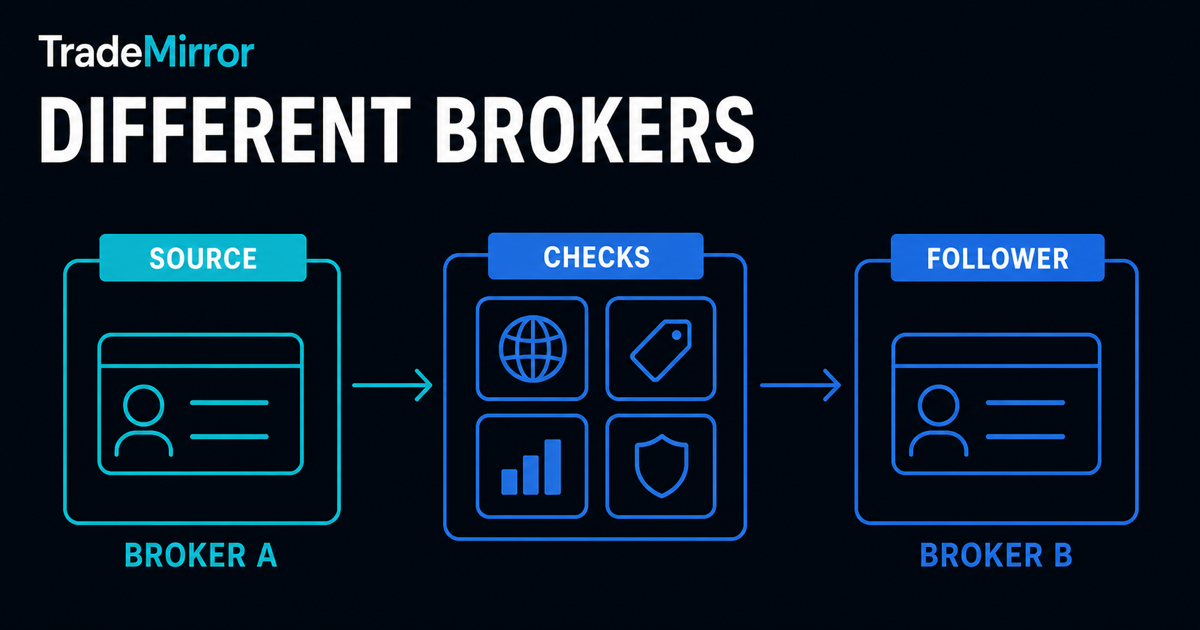
A trade copier can route supported events from an account at one broker to an account at another. The source and follower do not have to share a broker, but both must be valid, authorized accounts that the service can connect to. The requested trade must also make sense under the follower broker's rules.
Treat broker compatibility as something to prove with account, symbol, volume, margin, and execution evidence—not something inferred from matching MT4 or MT5 labels.
TradeMirror does not claim universal broker support. Test the exact broker servers and accounts you intend to use before building a route around them.
What changes when the brokers are different?
Each broker provides its own trading environment. It decides which symbols are available, how those symbols are named, the permitted order volume, trading sessions, margin requirements, stops levels, and how orders are executed. Market conditions can also produce different bid and ask prices at the same moment.
A copier does not bypass those rules. It sends a follower instruction after applying its configured controls, and the follower broker then accepts, rejects, or fills that instruction. That is why a copied event is not proof of an identical position or result.
1. Confirm the exact broker server connection
Broker brand names are not enough. A broker may operate multiple live and demo servers, regional entities, or account environments. The account number, platform version, and server must belong together. Test each connection independently and confirm that the returned identity matches the account you intended to add.
Do not activate a route merely because credentials were saved. A connection test should establish that the platform can reach the intended trading account now. If the server becomes unavailable later, new source events or follower instructions can be delayed or missed.
2. Compare symbol identity, not just the familiar name
One broker may use EURUSD while another uses EURUSD.a, EURUSDm, or a different instrument altogether. A similar label also does not prove that contract size, quote currency, tick value, or trading hours are equivalent. Confirm what the symbol represents on both accounts.
MetaTrader's symbol specification exposes fields such as spread, stops level, contract size, minimum and maximum volume, volume step, and trade sessions. The official MT5 Market Watch documentation shows where those properties appear. If the intended source symbol has no valid follower equivalent, do not assume the copier will invent one.
3. Check volume minimums, maximums, and steps
The follower broker controls which volumes it accepts. A sizing rule might calculate 0.07 lots while the follower symbol accepts increments of 0.10. Another account may impose a higher minimum or a lower maximum. The copier must either normalize, clamp, or reject an invalid request according to its documented behaviour.
Review the requested volume and the actual position created. For TradeMirror, a maximum-lot control can cap a follower request, but the broker's own volume rules still apply. Learn how the starting calculation works in the lot multiplier vs fixed-lot guide.
4. Expect price, spread, and fill differences
The follower does not inherit the source fill. It submits a separate instruction into a different broker environment, potentially at a later moment and against a different spread or available price. Fast markets, thin liquidity, disconnections, and broker-side restrictions can widen the difference or prevent execution.
Spread and entry-deviation controls can block new follower opens when conditions exceed the limits you set. A maximum signal-age control can reject an event that is already too old. These controls reduce certain execution risks, but they cannot guarantee matching prices.
5. Compare leverage, margin, and available equity
Equal lot sizes do not mean equal risk. The accounts can have different balances, equity, currencies, leverage, margin already in use, and symbol contract values. A fixed lot that is modest on the source may be unsuitable for the follower. A simple multiplier can have the same problem.
TradeMirror can use follower-specific minimum free-margin and minimum margin-level gates for new opens. If required margin data is missing, the safer response is to block rather than guess. Check current values in the follower terminal before relying on a dashboard snapshot.
6. Check account mode, permissions, and trading sessions
MT5 accounts can use netting or hedging, which changes how multiple executions on the same symbol become positions. An account may also be investor-only, disabled for trading, outside the symbol's trading session, or subject to broker restrictions. A connected account is not necessarily an account that can accept the requested action.
Read the MT4 vs MT5 trade copier comparison before combining different brokers and different platforms in the same route. Change one variable at a time during testing so that failures remain diagnosable.
A cross-broker verification workflow
- Confirm that you own or are authorized to operate both accounts.
- Test the source and follower connections on their exact servers.
- Record platform, account mode, currency, leverage, and permissions.
- Compare the intended symbol's contract and volume specifications.
- Calculate the expected follower volume from the selected sizing rule.
- Set follower-specific lot, exposure, margin, and market-condition limits.
- Start with a controlled test while both markets and accounts are available.
- Verify the follower's actual symbol, direction, volume, fill, and protective levels inside MetaTrader.
- Test the supported close workflow and confirm no unwanted position remains.
Keep the evidence from the whole lifecycle. A green connection badge proves less than a completed, verified open-and-close test.
When should you not activate the route?
Do not activate when the follower symbol is ambiguous, contract details are materially different and unaccounted for, the calculated volume cannot be accepted, margin information is unavailable, account mode conflicts with the strategy's position pattern, or connection tests are unstable.
You should also stop after an unexplained rejection or mismatch. Use the state-based troubleshooting guide to separate source-event, connection, protection-rule, broker, and follower-fill problems before trying again.
Frequently asked questions
- Do both brokers need to offer MT5?
- No. A supported route can cross MT4 and MT5, but cross-platform translation adds account-model checks to the broker checks.
- Will both accounts receive the same price?
- Not necessarily. Each broker exposes its own price, spread, liquidity, and execution decision when the instruction arrives.
- Does the same symbol name prove compatibility?
- No. Compare the complete symbol specification, especially contract size, volume rules, sessions, stops level, and trading permission.
- Can risk controls remove broker risk?
- No. They can block certain new opens or limit requested exposure, but they cannot guarantee connectivity, fills, prices, or outcomes.
Bottom line
Copying between different brokers is a valid route design when the exact accounts, servers, symbols, sizing, and execution lifecycle have been tested. “Both are MetaTrader” is not enough evidence. Build the route from verified account facts and keep follower-specific controls in place.
Continue with the trade copier risk-management guide and review the risk disclosure. This article is educational and is not investment advice or a promise that a broker combination will be compatible.